Appearance
Colour the model by utilisation
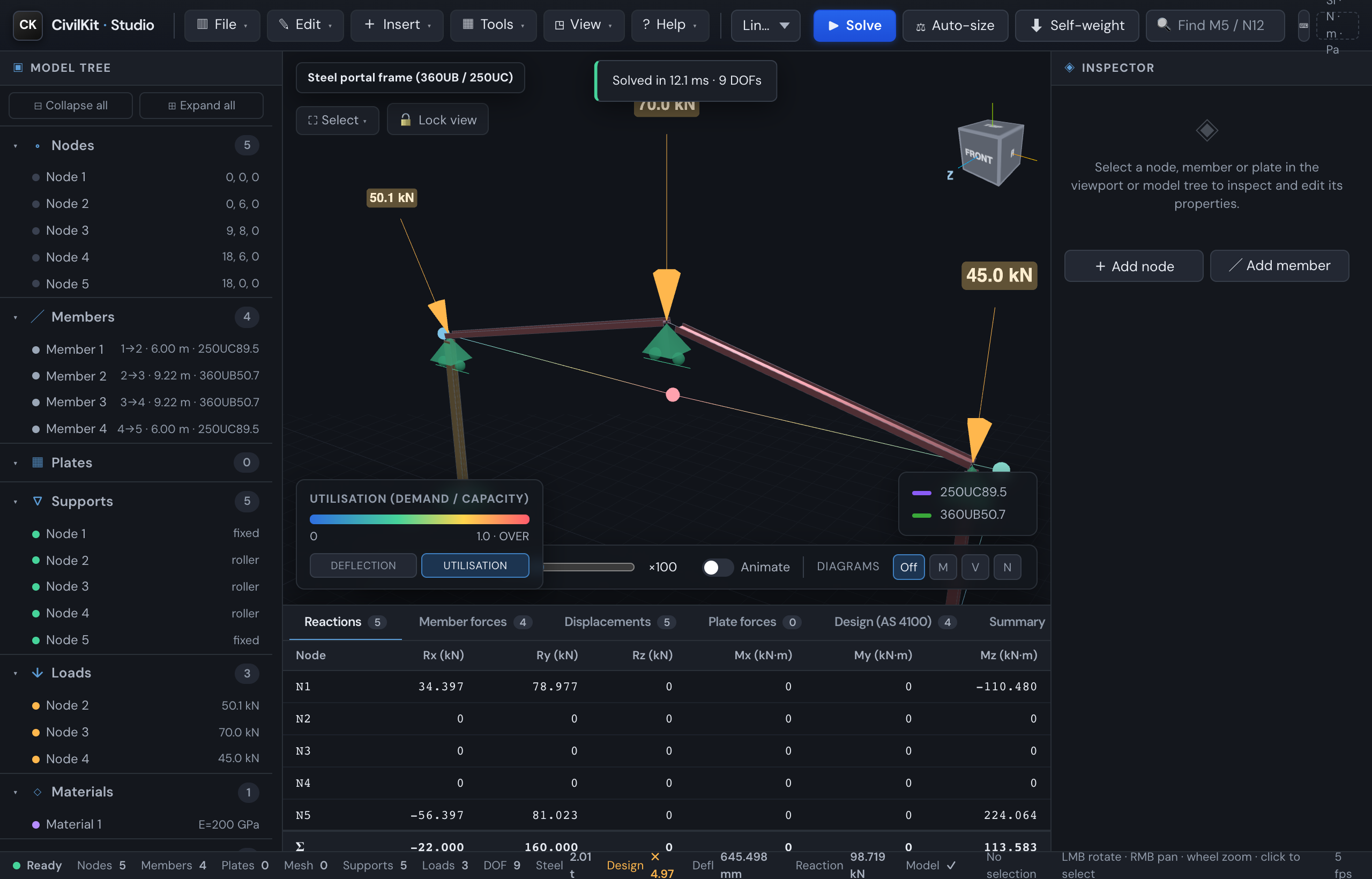
After you solve a model with steel sections, the 3D view can colour every member by its AS 4100 utilisation (demand / capacity) - the "design ratio plot" that lets you read a whole structure at a glance.
In the legend (bottom-left of the viewport), switch the contour from Deflection to Utilisation:
- Blue / green members have spare capacity (low utilisation).
- Yellow members are approaching their limit.
- Red members are at or over 1.0 - overstressed (failing the check).
- Grey members have no AS 4100 capacity (no catalogue section assigned).
The colour uses the same governing utilisation shown in the Design (AS 4100) tab (the worst of bending, compression and shear, per Cl 8.3/8.4). Re-solve, change a section, or run Auto-size and the colours update. Pair it with the Design tab to find and fix the red members first.