Appearance
Load combinations
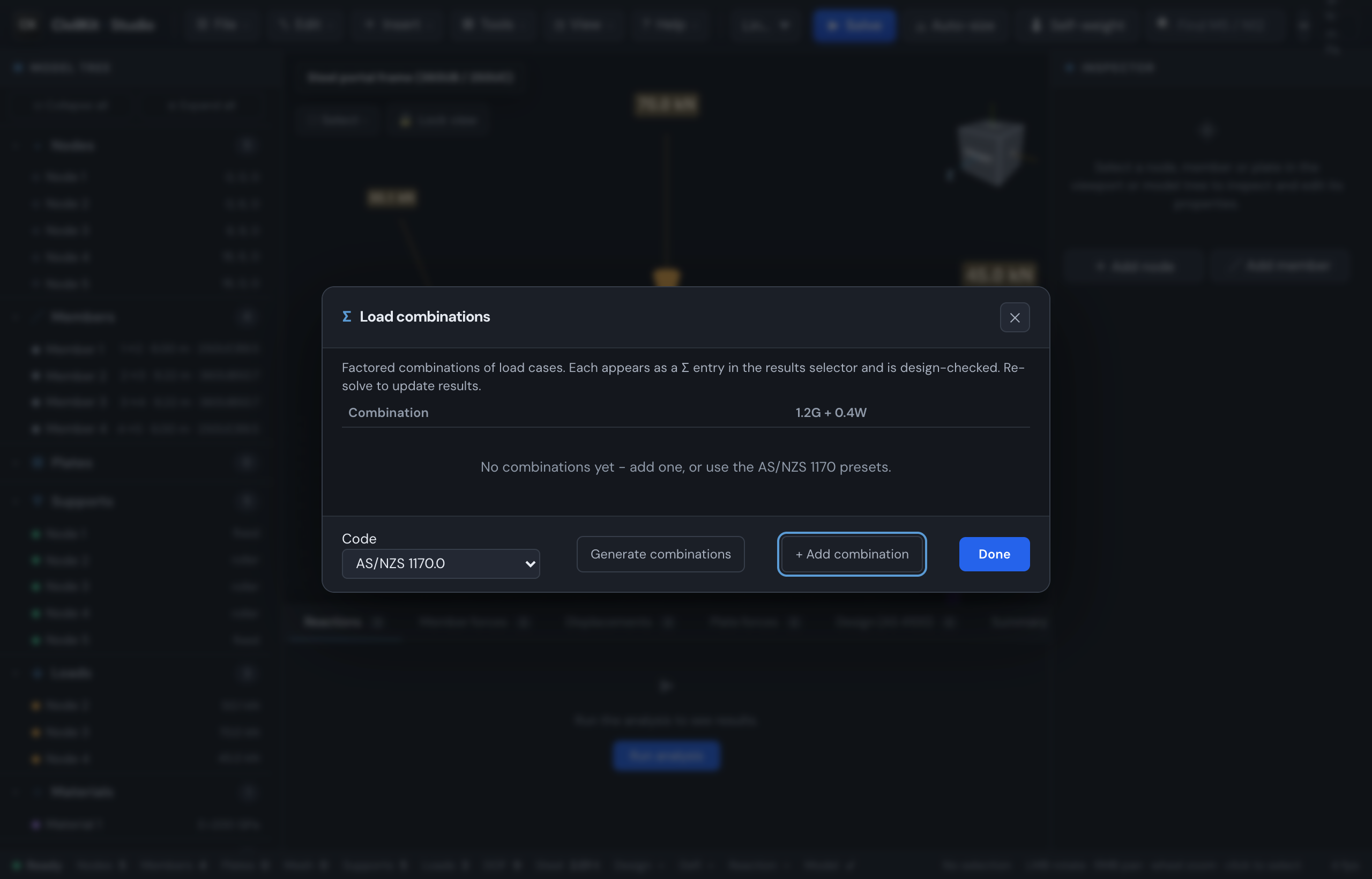
Real designs check factored combinations of load cases (AS/NZS 1170.0), not raw cases. CivilKit Studio lets you build them in the GUI and design-checks each one.
Create combinations
File → Load combinations… opens the editor. Each row is one combination: give it a name and a factor against each load case (blank/0 = not included).
- AS/NZS 1170 presets - if your load cases are named G (or "Dead"), Q ("Live"/"Imposed") and W ("Wind"), this adds the standard ULS set:
1.35G,1.2G + 1.5Q,1.2G + Wu + 0.4Q,0.9G + Wu(uplift). - + Add combination - a blank row for a custom combination.
- The 🗑 button removes a combination.
Click Done and re-solve. Each combination then appears as a Σ entry in the results selector (top-right of the results panel).
Use them
Select any Σ combination and the whole results UI works on it - displacements, member forces, reactions, the AS 4100 design check, the 3D utilisation contour, and the equilibrium check (applied load is factored per term).
Design to the envelope
With two or more combinations, an extra Σ Envelope (governing) entry appears. It carries, for every member and node, the worst-case (max-absolute) action over all combinations - so a single design pass shows each member's governing utilisation across the whole combination set. This is the case you size members against. (The equilibrium check shows n/a for the envelope, since it is not a single applied-load set.)
What each combination costs, in the picker
Once the design pass has run, every combination in the load-case picker carries the worst member utilisation under it, and the Envelope row names the combination it peaks under:
1.35G                   ·  0.71
1.2G+1.5Q               ·  1.63
1.2G+Wu+0.4Q            ·  0.47
0.9G+Wu                 ·  0.28
Envelope                ·  1.2G+1.5Q 1.63
So the governing combination is the one you click, rather than the one you find by stepping through fifteen rows - and the envelope is traceable to a source instead of being an anonymous maximum.
The figures are blank until the design pass has run. A combination whose rows carry no forces shows nothing rather than 0.00: a zero beside a combination that was never checked is a number an engineer will believe.
TIP
A worked example ships in the gallery: ★ Portal + 1170 combos.